PROFESSIONAL NICHE DESIGN

Give Your Client a Clinic Website Built from the Front Desk’s Own Paperwork

Kennel cards, collar ID tags, staff badges on lanyards, price tags on strings and a posted fee board give VetPress a clinic’s own character. Every section is an editable block pattern, and colors, fonts and spacing live in the Site Editor’s Styles, so the site stays easy to change.


KENNEL-CARD HERO

Put Today’s Patients Up Front

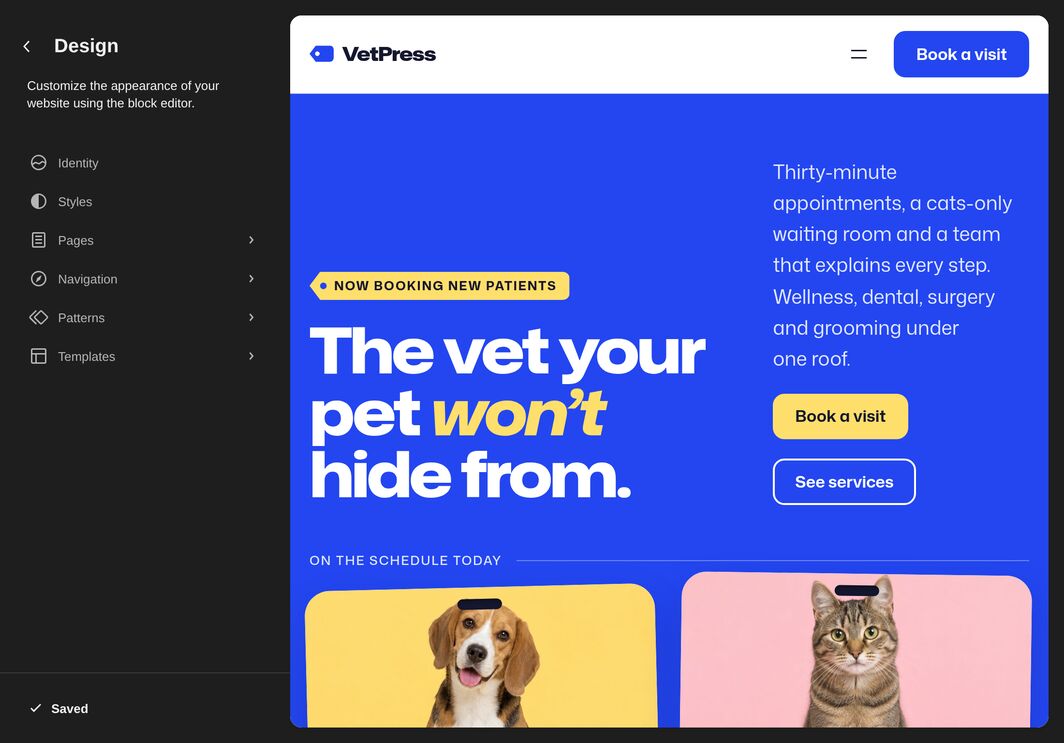
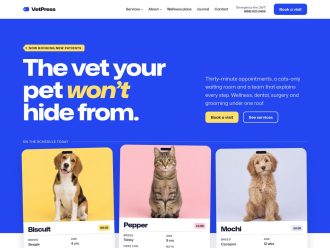
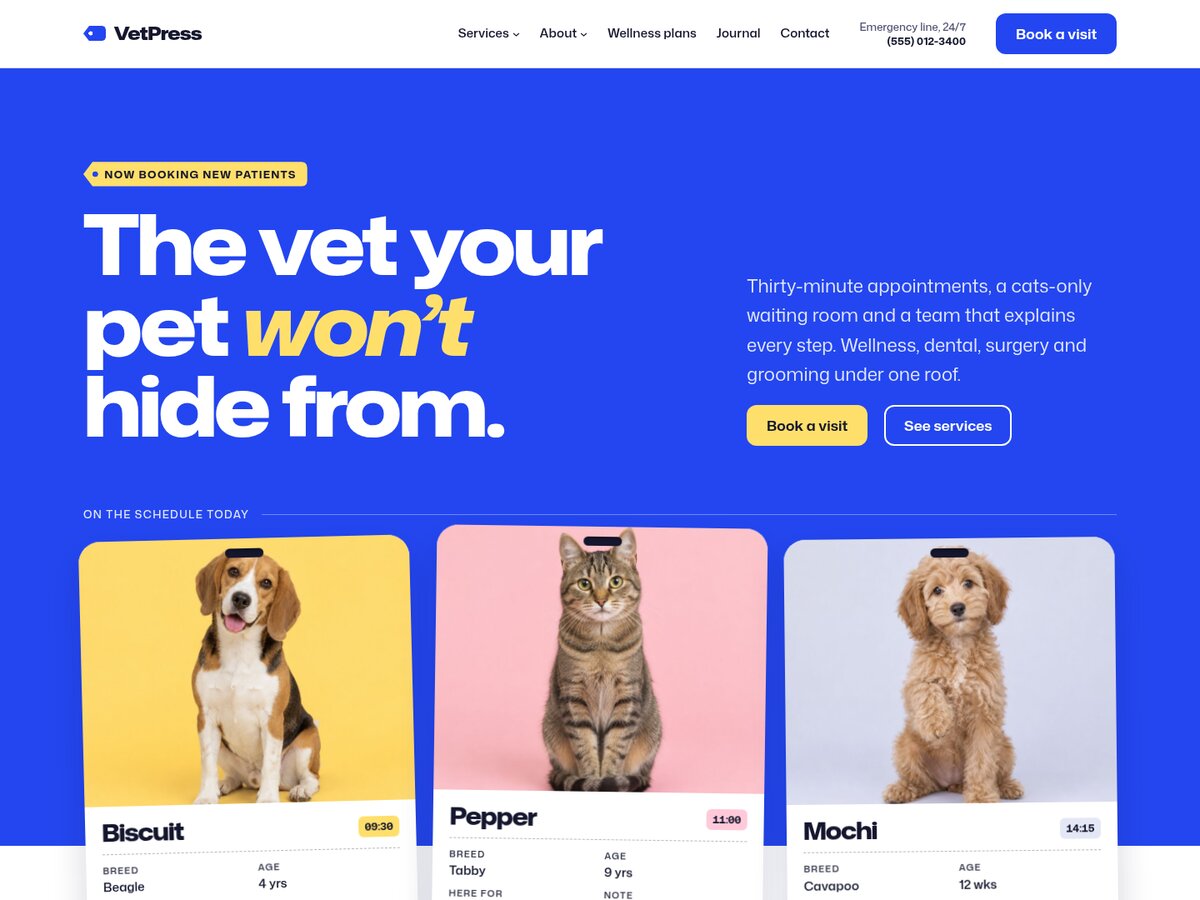
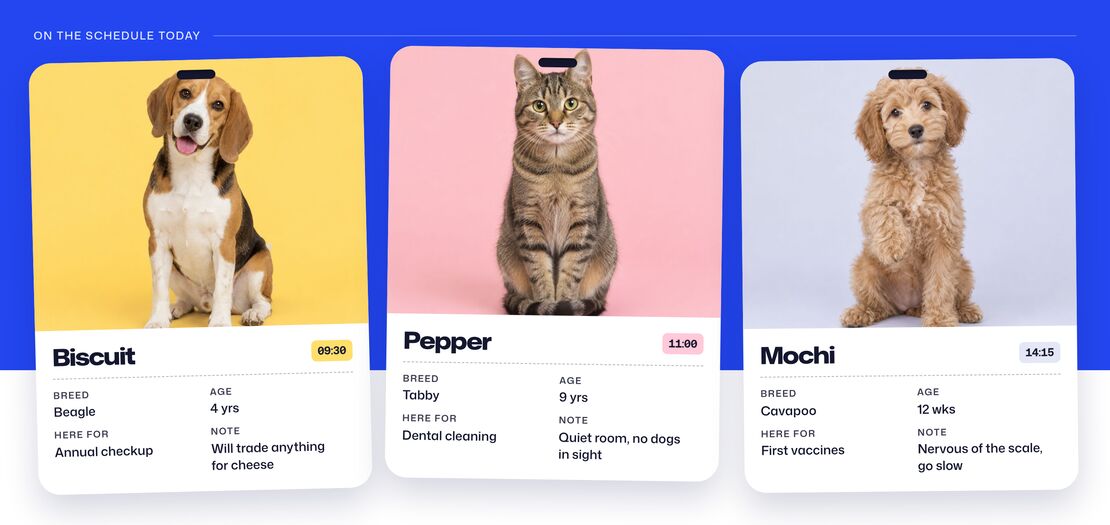
The homepage opens with a bold headline and booking buttons, and today’s patients hang below it as kennel cards with a photo, appointment time, breed, age, reason for the visit and a note. Pet owners see right away that this clinic knows its patients by name.

Kennel cards for today’s patients Biscuit, Pepper and Mochi, with appointment times, breed, age and visit notes


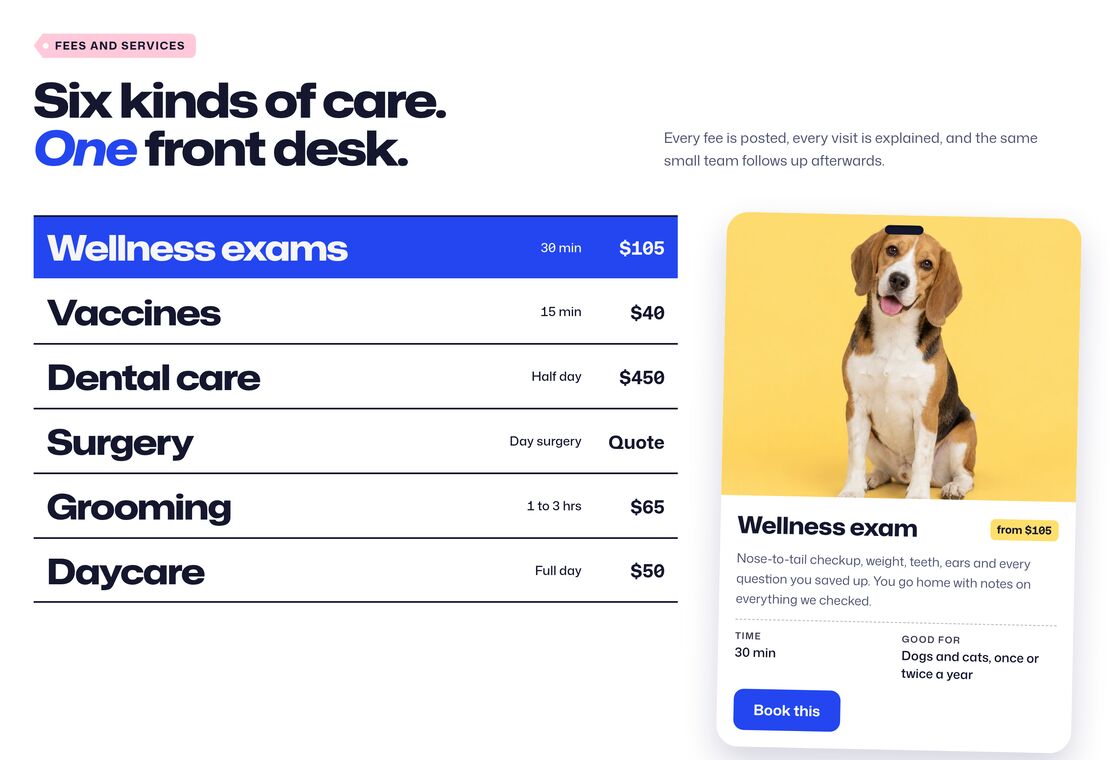
Services fee board with times and prices for wellness exams, vaccines, dental care, surgery, grooming and daycare, beside a kennel card for the wellness exam

SERVICES FEE BOARD

Post Every Fee in Plain Sight, Just Like the Front Desk

Six services sit on a ruled fee board with their times and prices, beside a kennel card for the highlighted one. Each row links to a service page, and the Service page pattern lays one out with what the fee covers, the day by the clock and a written estimate.


FIRST VISIT TIMELINE

Walk New Clients Through Their First Visit

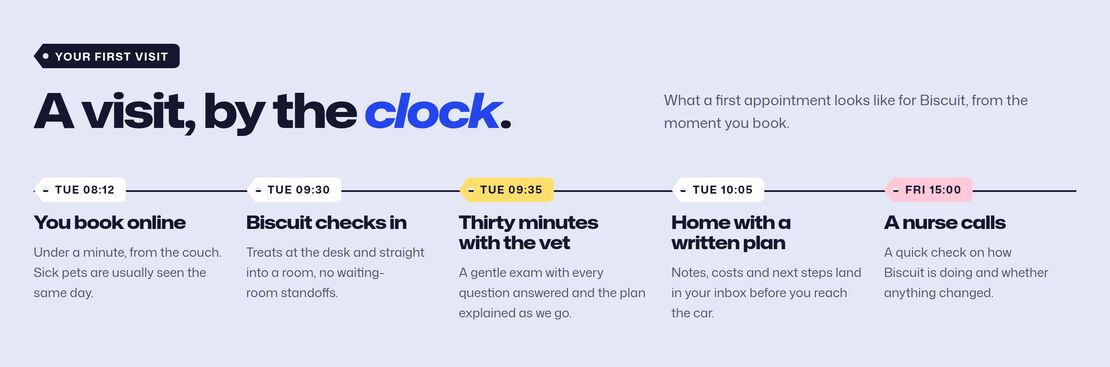
A timeline follows a first appointment by the clock, from booking online to the nurse’s follow-up call. Nervous owners know what happens at each step before they walk in.

First visit timeline from booking online to the nurse’s follow-up call, with a time for each step


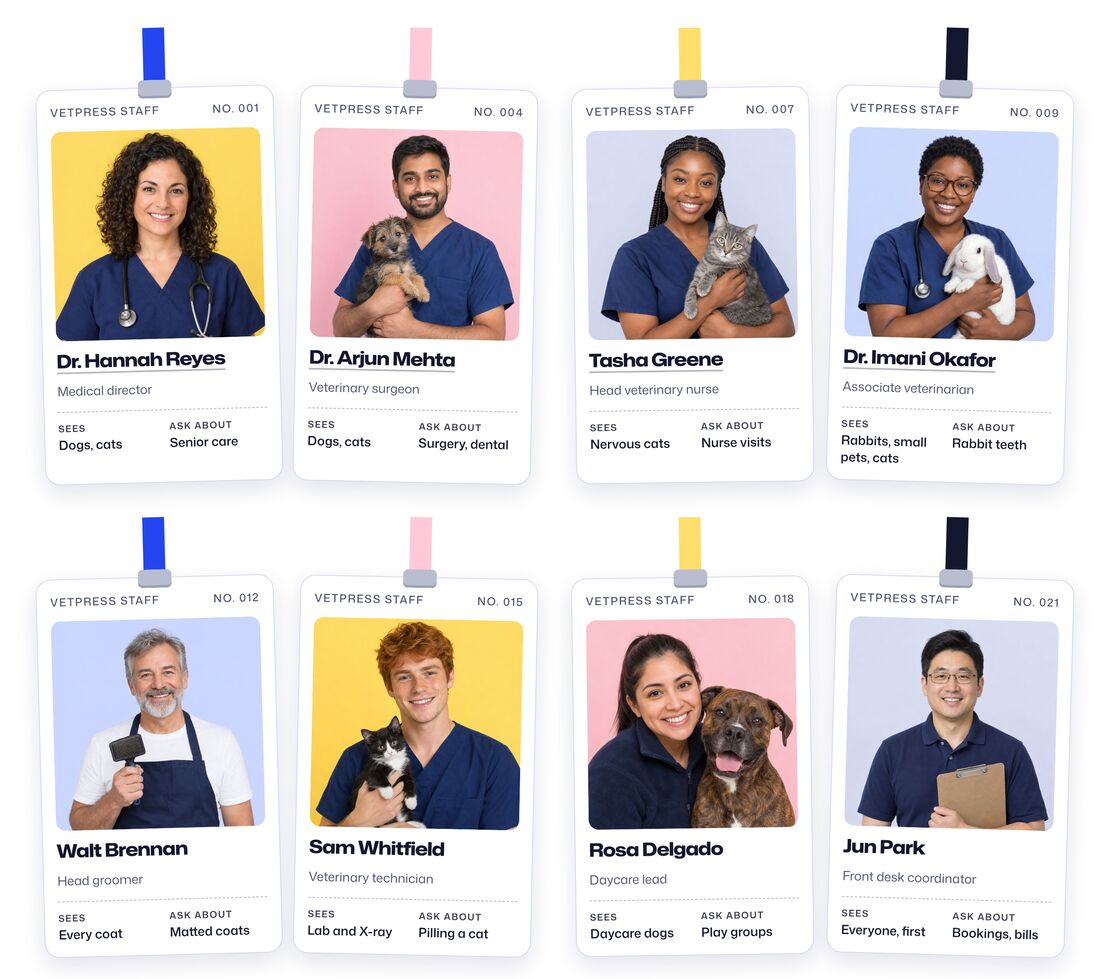
Team roster of eight staff badges on lanyards, each with a portrait, role, who they see and what to ask them about

TEAM BADGES & ROSTER

Introduce Every Vet, Nurse and Groomer with a Staff Badge

Every vet, nurse and groomer gets a lanyard badge with a portrait, their role, who they see and what to ask them about. Show four badges on the homepage, or the full roster of eight on the Team page, with the vets’ and head nurse’s names linking to their profiles.


STAFF PROFILES

Give Each Vet a Page, Down to Their Week

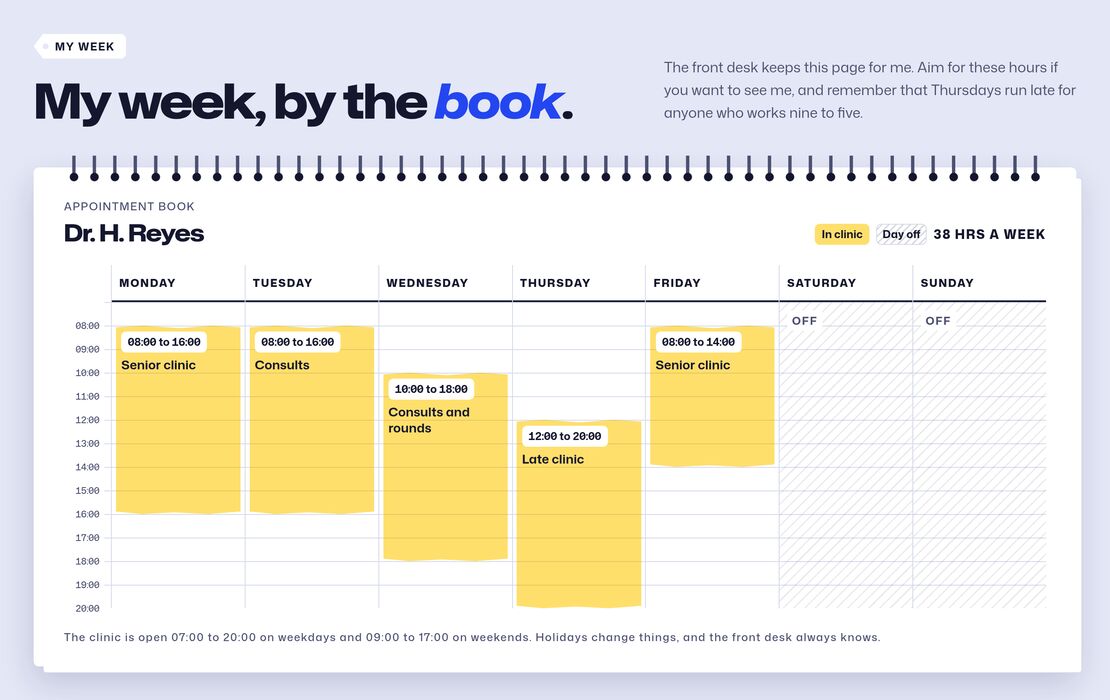
A staff profile pairs a large badge and bio with booking buttons, their week as a page from the appointment book, what they spend their days on and the pets waiting for them at home. Clients can see who works when and book the vet they want.

A vet’s week drawn as a page from the appointment book, with clinic hours for each day


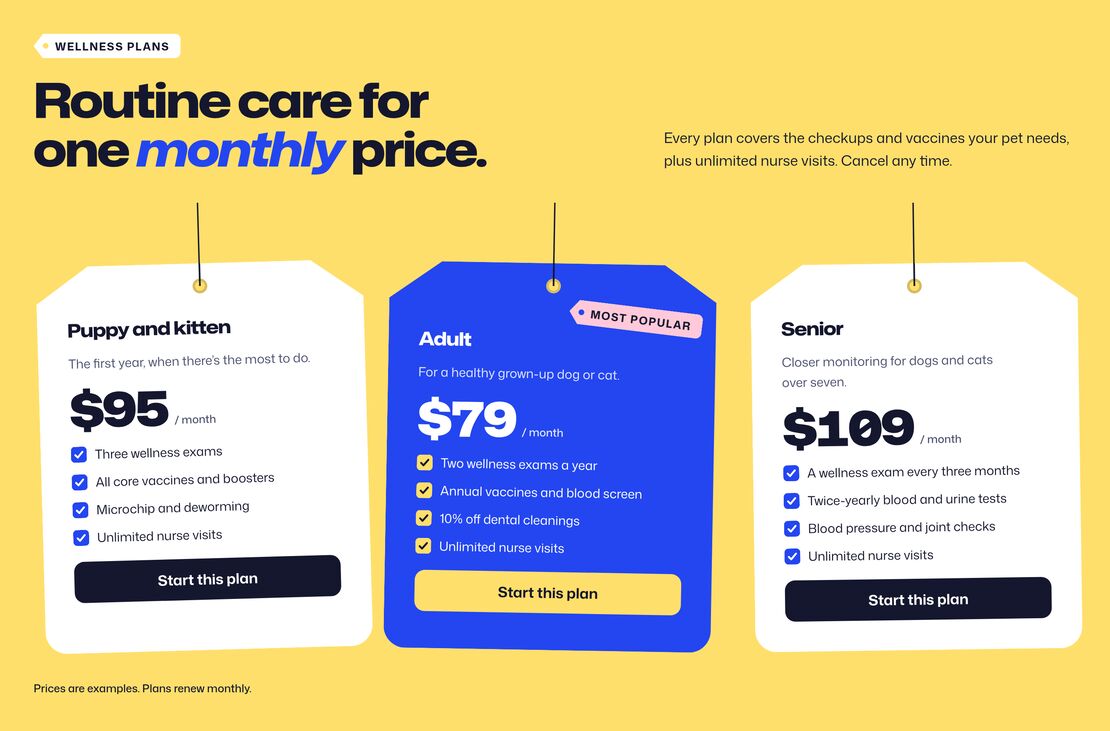
Three monthly wellness plans as hanging price tags, with the Adult plan marked most popular

WELLNESS PLANS

Sell Wellness Plans on Price Tags

Three monthly plans hang on strings as price tags, each with a checked list of what it covers, and the middle one is marked as most popular. It’s an easy way to turn one-off checkups into regular visits.


GROOMING MENU

Price Grooming by Dog Size

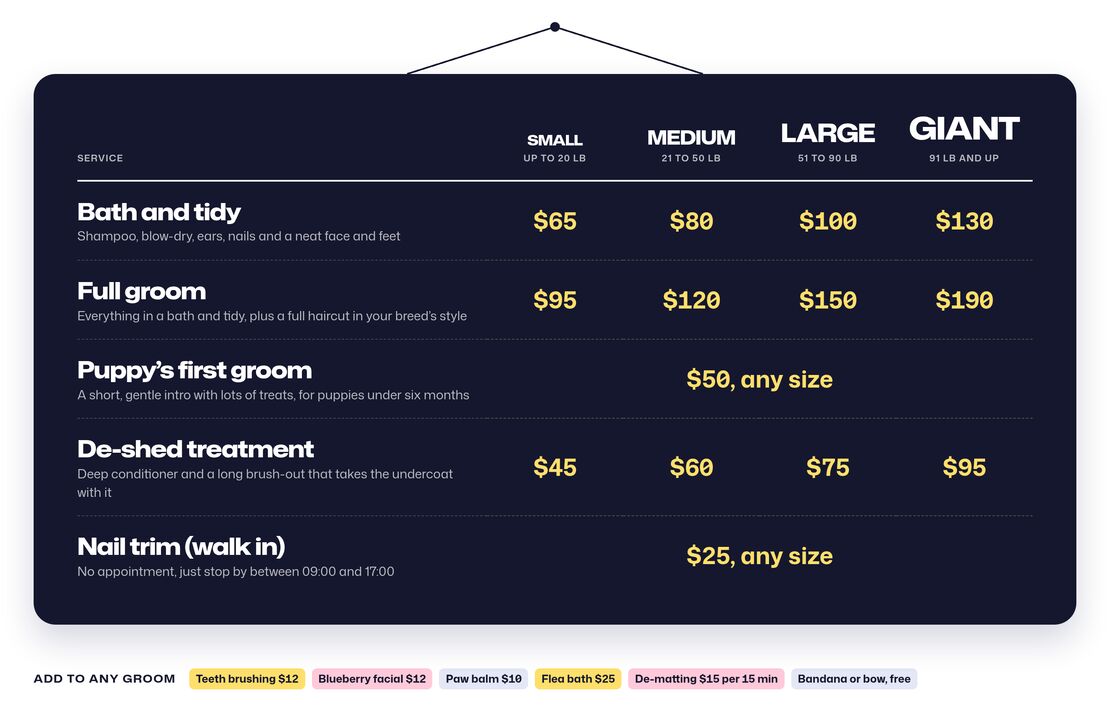
The grooming menu hangs like a board in the salon, with a price for small, medium, large and giant dogs on every service and add-ons as chips below. Owners know what a groom costs before they call.

Grooming menu board with prices for small, medium, large and giant dogs, and add-ons as chips below


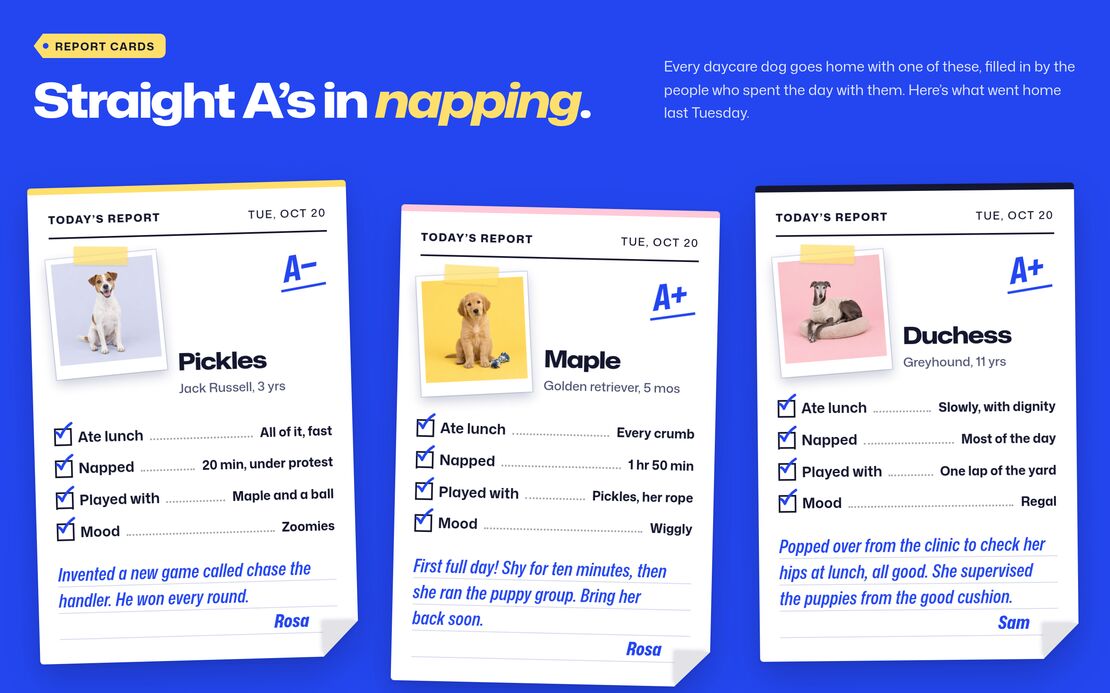
Three daycare report cards with a photo, a grade, ticked lines for lunch, naps, play and mood, and a note from staff

DAYCARE

Send Daycare Dogs Home with a Report Card

The Grooming and daycare page tells a daycare day by the clock, from drop-off to pick-up, then shows report cards with a photo, a grade, lunch, naps, playmates, mood and a note from staff. Daycare passes for a single day, a 10-day pack or a monthly plan sit right below.

Impress Your Client by Showing Them a Live Website with Their Branding

Start a free VetPress trial site, add your client’s logo, pick a style variation and put in their own prices and photos. Your client can click through their future website, and that helps you close the deal.

Try VetPress for free Arrow

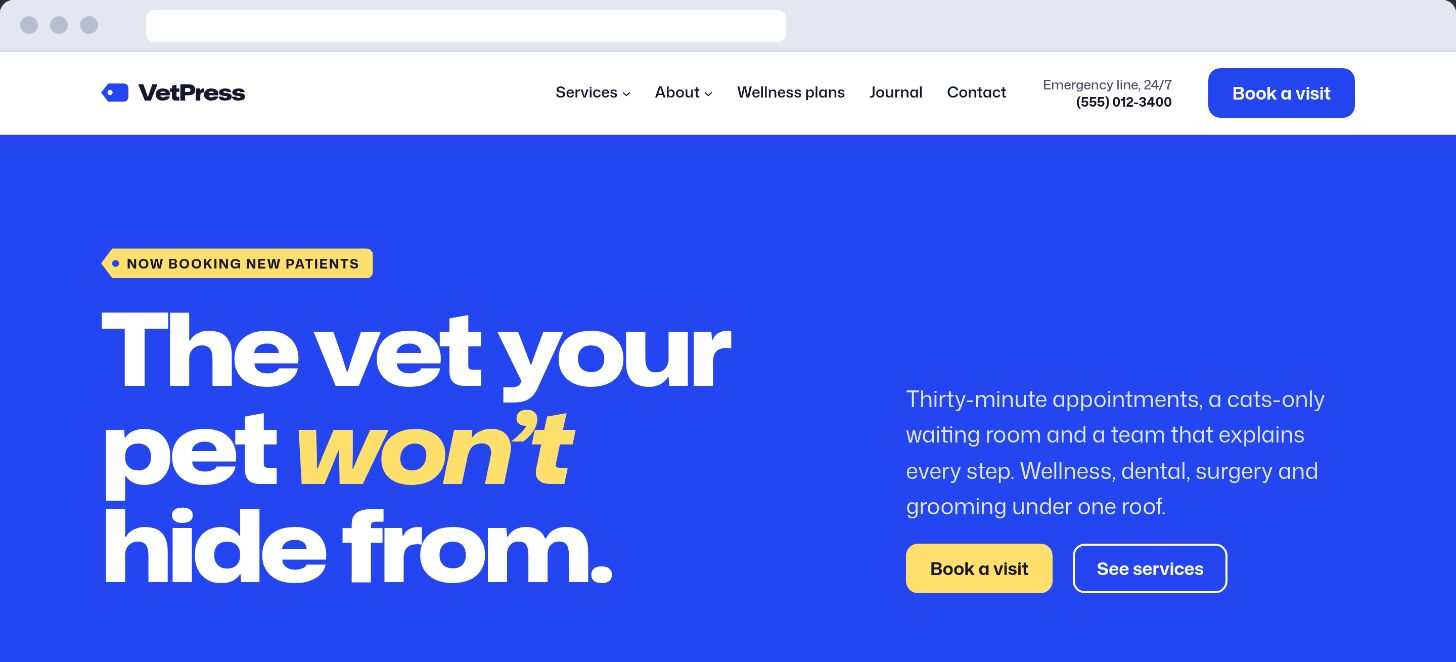
VetPress homepage in a browser window

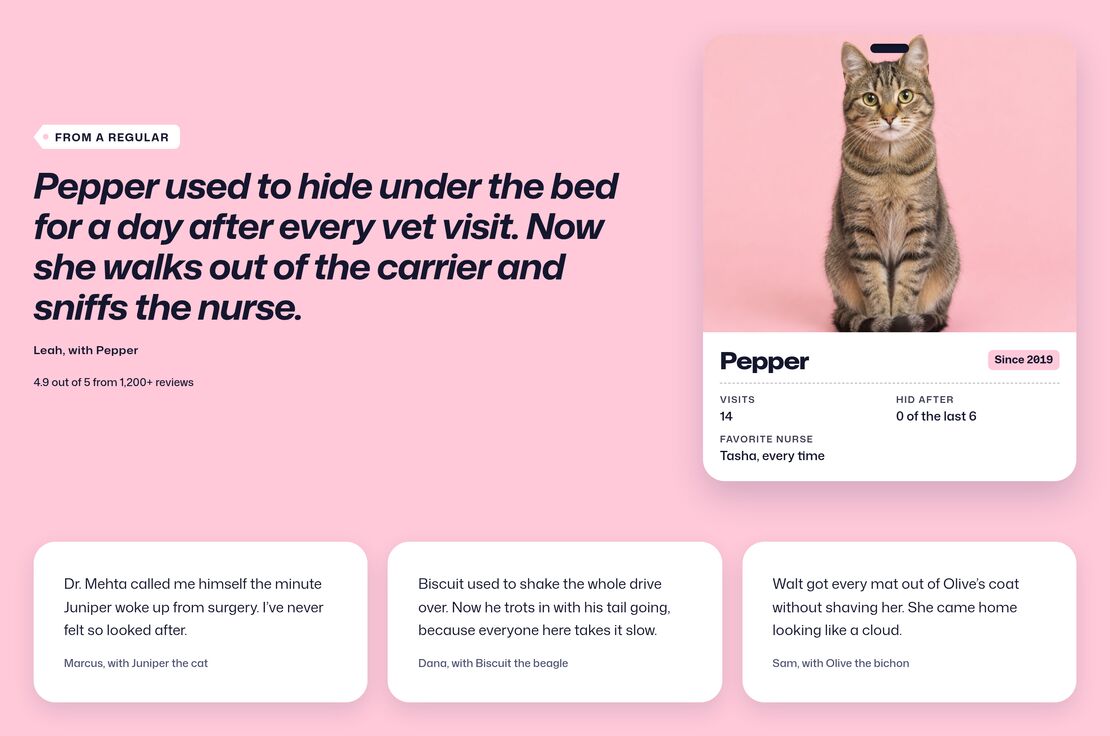
Testimonials section with a large quote beside a cat’s kennel card and three short reviews

TESTIMONIALS

Let the Regulars Do the Talking

A large quote from a long-time client sits beside her cat’s kennel card, with three short reviews underneath. Words from real pet owners carry more weight than anything the clinic says about itself.


FAQ

Answer the Questions the Front Desk Hears Every Day

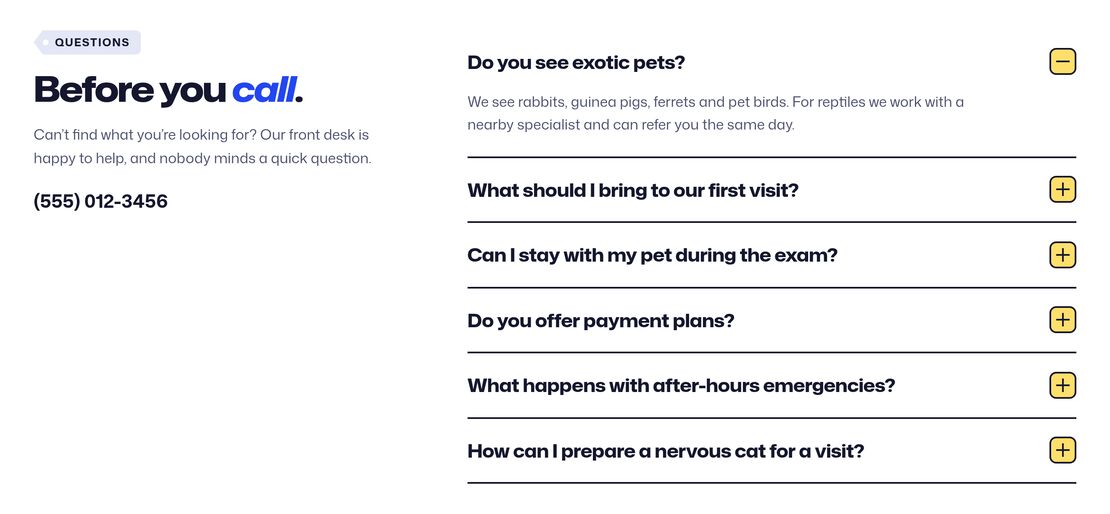
Six questions open and close beside the front desk’s phone number, so owners can check on exotic pets, payment plans or after-hours emergencies. Add ClevrBot, the AI chat assistant VetPress recommends, and visitors get answers from the site’s own content at any hour.

FAQ section with six expandable questions beside the front desk phone number, with the first answer open


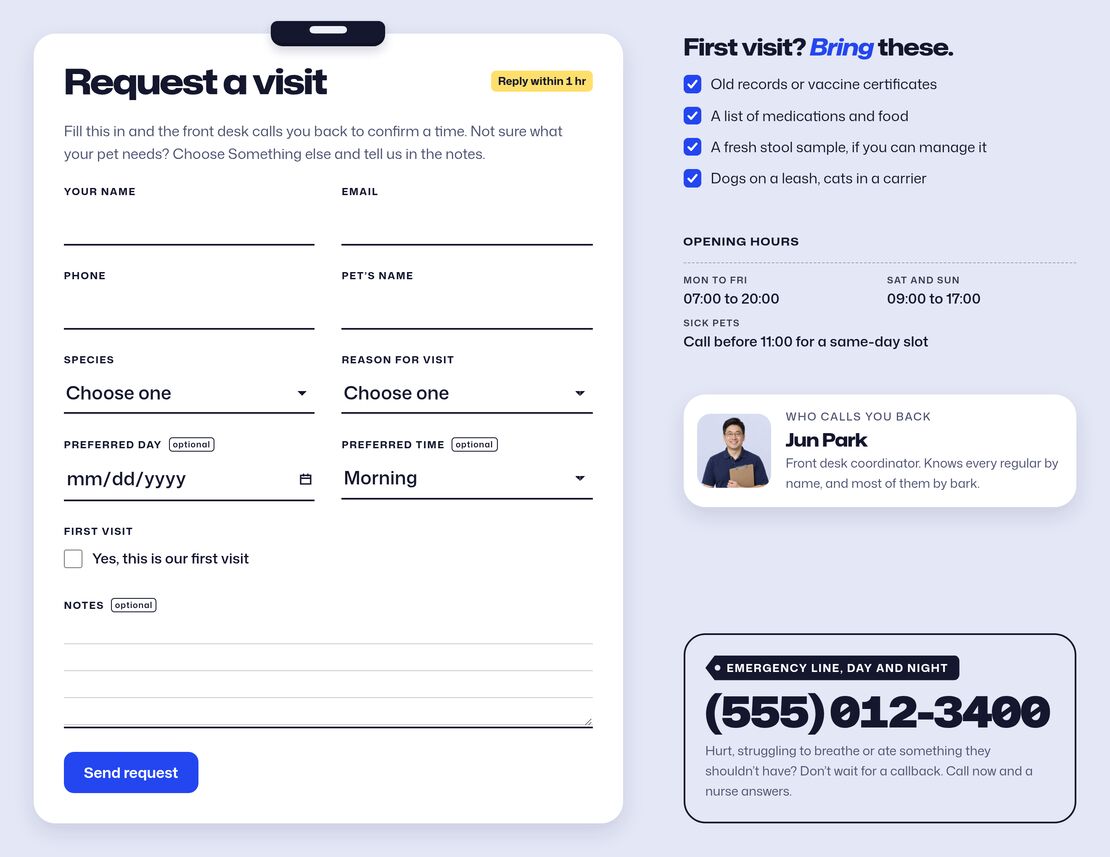
Book a visit page with a Contact Form 7 request form beside what to bring, opening hours and the emergency line

BOOK A VISIT PAGE

Take Booking Requests with Contact Form 7

The Book a visit page puts your booking form on a request card, beside what to bring, opening hours, the emergency line and what happens after a request. VetPress styles Contact Form 7 to match, and the demo import adds a ready-made booking form.


CONTACT, HOURS & EMERGENCY LINE

Make the Emergency Number Impossible to Miss

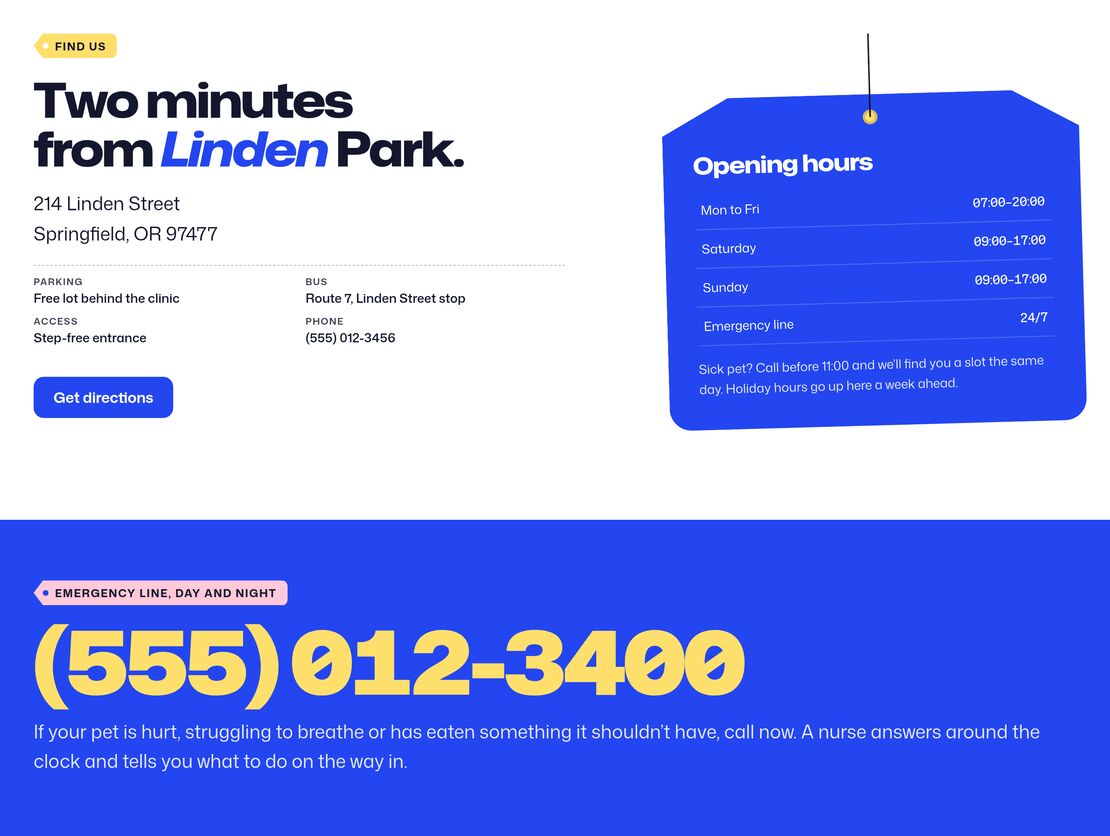
Opening hours hang on a tag beside the address, parking and transit details, and contact cards cover the front desk, email and emergencies. The emergency line sits in the header and runs at poster size above every footer, so a worried owner finds it on any page.

Address and directions beside opening hours on a hanging tag, above the emergency phone line at poster size


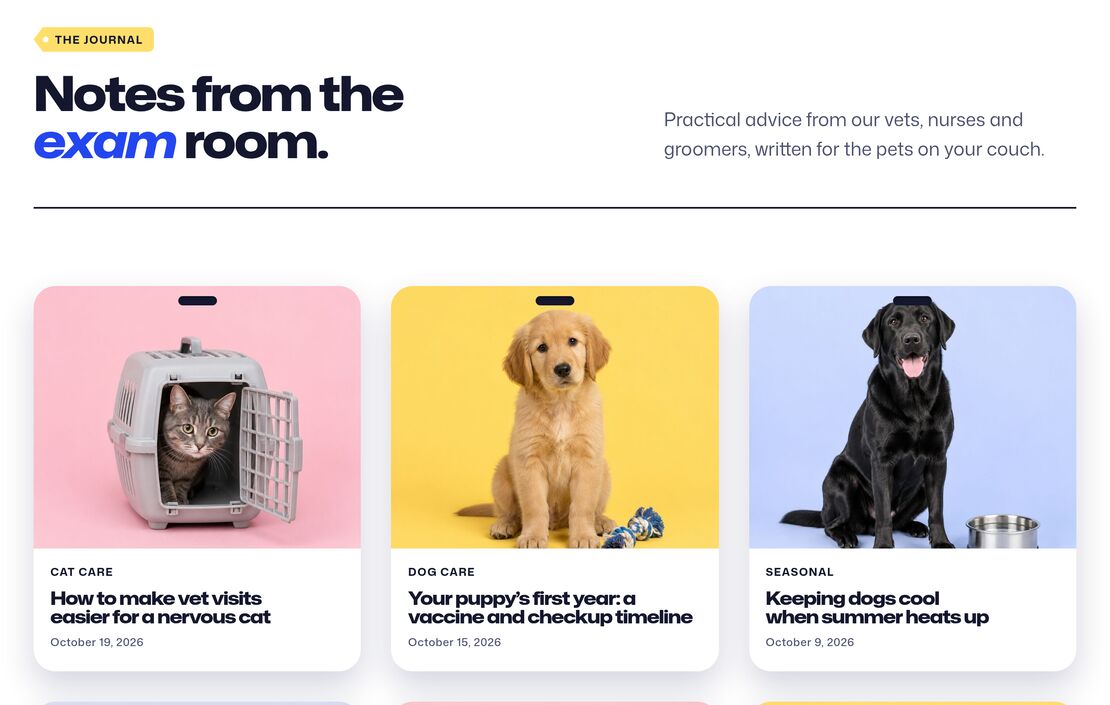
Journal page with posts shown as kennel cards with a photo, category, title and date

JOURNAL

Share Pet Care Advice from the Exam Room

Posts show up as kennel cards with a photo, category and date, both on the journal page and in the homepage’s latest posts. It’s a natural home for vaccine timelines, dental tips and seasonal advice.

STYLE VARIATIONS & SECTION STYLES

Restyle Every Page from One Place

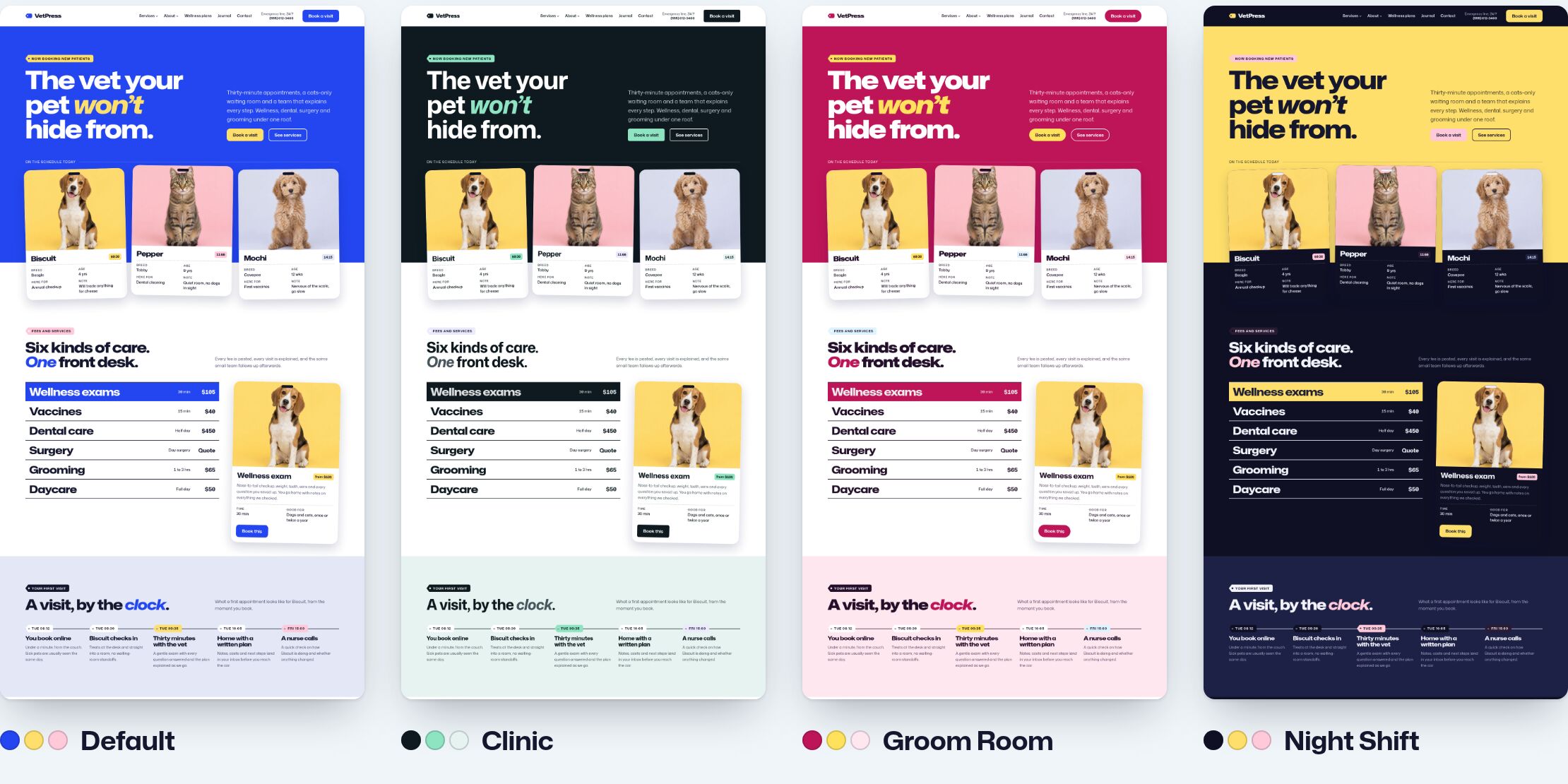
Pick the default cobalt, butter and blush, the calm ink and mint of Clinic, the hot pink of Groom Room or the dark Night Shift in Appearance → Editor → Styles, and every page follows, patterns included. Section styles (Bold, Bright, Soft, Soft alt, Inverse and Card) color any group or column in the look you choose.

The VetPress homepage in its four style variations: Default, Clinic, Groom Room and Night Shift

BLOCK PATTERNS

Build Every Page from 40 Editable Block Patterns

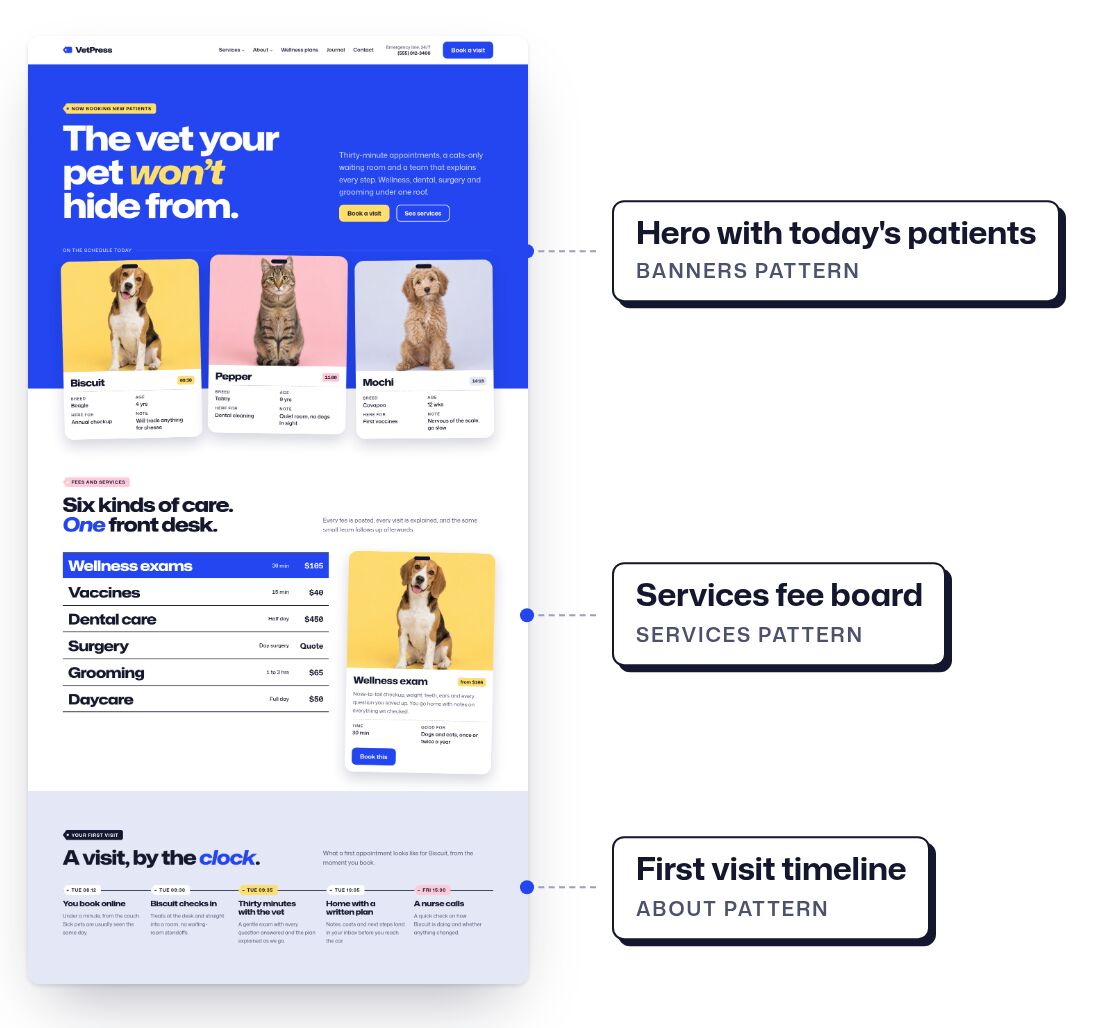
Every section is a block pattern you can edit, move or restyle, and ten page patterns lay out Home, About, Services, a single service, Grooming and daycare, Team, a staff profile, Wellness plans, Book a visit and Contact in one go. Or import the whole demo in one click and swap in your client’s text and photos.

The VetPress homepage with its hero, services fee board and first visit timeline labeled as block patterns


SUMMARY

Everything You Get with the VetPress Theme

One-click demo import

Built for the WordPress Site Editor

4 style variations

6 section styles

Kennel card, staff badge and hang tag block styles

40 block patterns, including 10 whole pages

Booking page styled for Contact Form 7

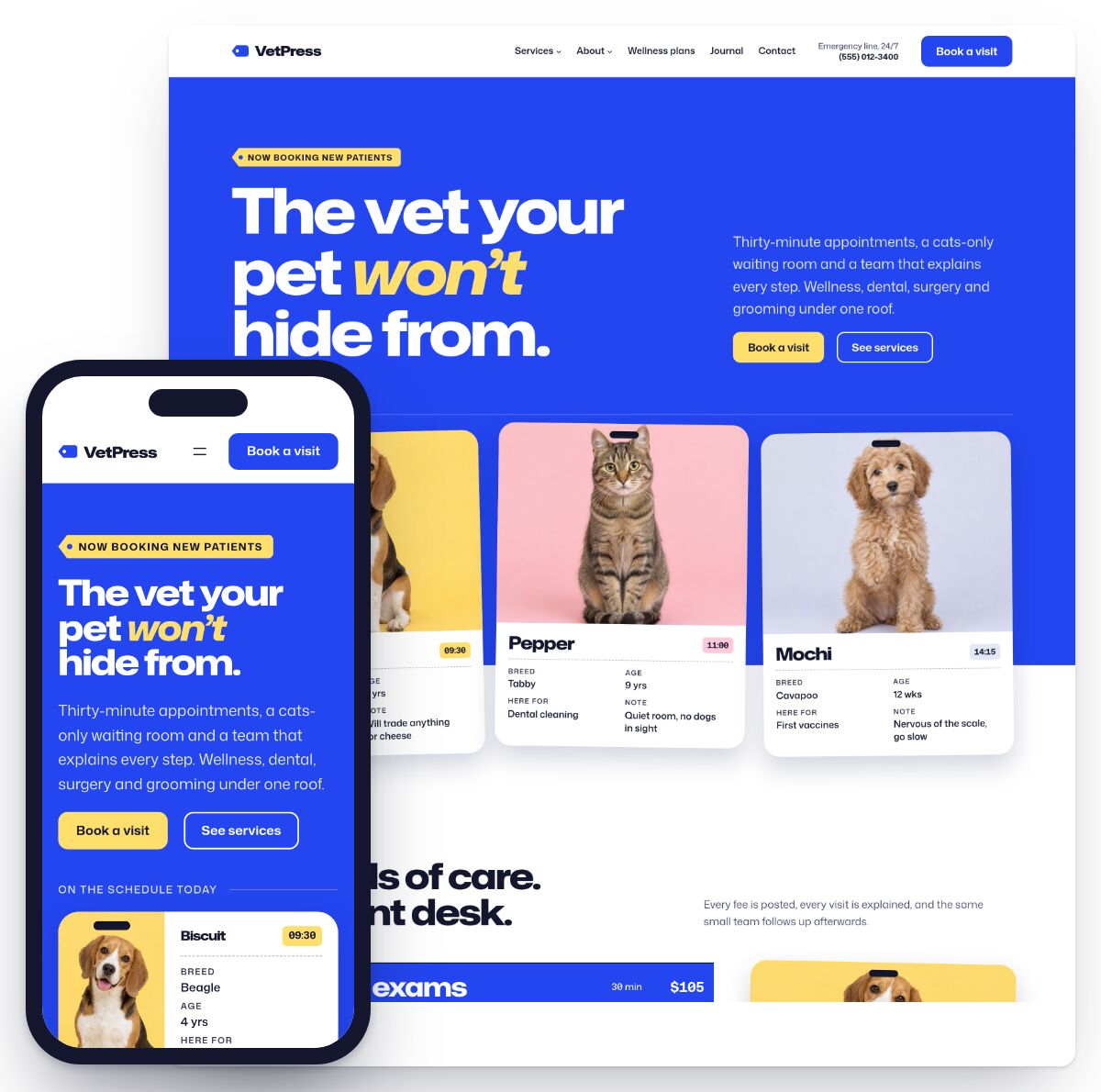
Responsive design

Translated into 13 languages

Registration with automatic updates

Ready for the ClevrBot AI chat assistant

Professional support team

30-day money-back guarantee

VetPress homepage on a desktop screen and on a phone

What Freelancers and Agencies
Say About ProteusThemes

“A++++ on this theme”

This is the best WordPress design I have ever used. I’m not talking just design, I mean, the way the end-user (me) can edit it, its so well put together that I hope you guys have other themes I can use. I’ll keep purchasing from you guys. A++++ on this theme. Very well done!!!

Alex Bartonek Alex Bartonek
“Incredibly thought-out and well-researched niche products.”

ProteusThemes produces incredibly thought-out and well-researched niche products. These products are inherently intuitive and are meant to help you achieve one single goal as compared to the bloatware. Not only do I use their products myself but I have recommended them to my friends as well. Moreover, the team behind ProteusThemes is very friendly and they know the craft pretty well. For these reasons and more, I recommend PT.

Ahmad Awais Ahmad Awais

Get VetPress for only $67

Get VetPress Now

If you have a question before purchasing,
send us an e-mail and we’ll get back to you in less than 24 hours.

Your 100% Satisfaction Guarantee

If either you or your client don’t like the theme, or if the one-click demo import or any other functionality doesn’t work, just get in touch with our friendly support team and we will either help you solve anything you need or we will politely refund all your money back within 30 days after your purchase.

WORDPRESS SITE EDITOR

Edit Your Whole Site Visually

Every block theme is built for the Site Editor, the editor that comes with WordPress, in Appearance → Editor. Your pages, header and footer, templates, menus and styles are all edited there, with no page-builder plugin to install or keep updated.

The WordPress Site Editor with its Design menu of Identity, Styles, Pages, Navigation, Patterns and Templates beside a preview of the VetPress homepage

Quick setup

Nothing Extra to Install

The Site Editor comes with WordPress, so there’s no page builder to install, learn or keep updated.

Start editing Edi ting

Click and Type

Change any heading, paragraph, photo or button right where it sits on the page.

Clear content

Your Content Stays Yours

Pages are made of standard WordPress blocks, so your content stays in them if you ever switch themes.


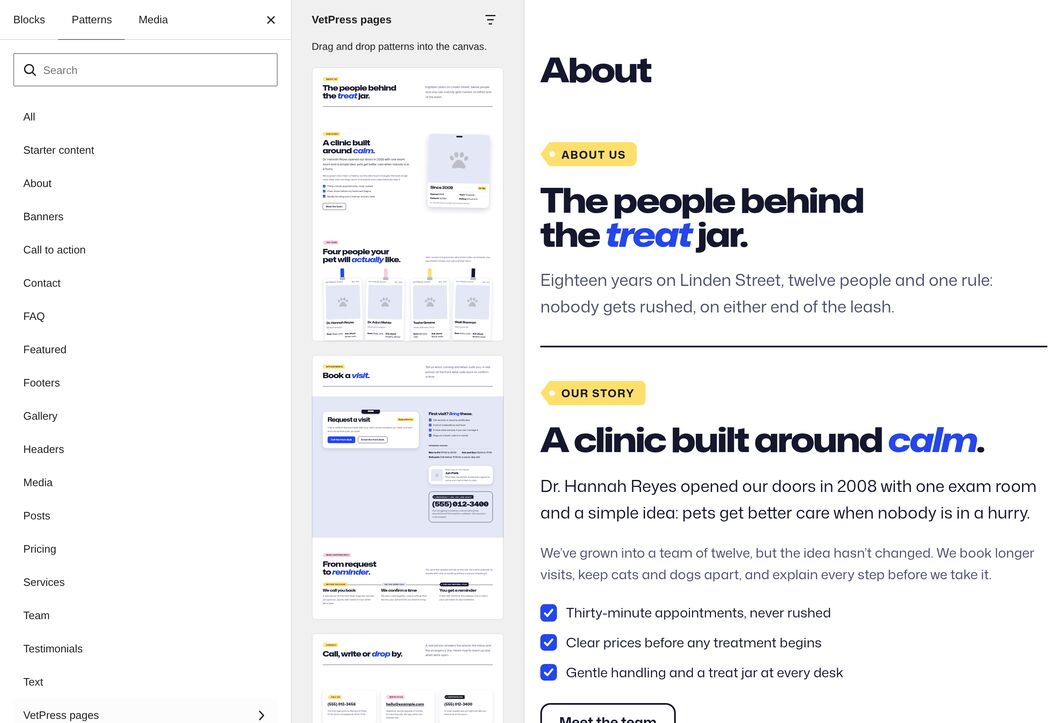
The block inserter’s Patterns tab open on the VetPress pages category, with page patterns listed beside the About page being edited

BLOCK PATTERNS

Build Pages from Ready-Made Patterns

Every section of your theme’s demo is a block pattern: a ready-made group of blocks. Insert one from the Patterns tab, move it up or down, restyle it or delete it, and change its text and photos like any other content.

Drag and drop widgets

Insert a Section

Drag a pattern from the Patterns tab into any page.

Resizing

Move It Around

Move sections up or down until the page reads the way you want.

Match brand colors

Restyle or Delete

Give a section a different style, or delete what you don’t need.

Try the Site Editor on a Live Demo for Free

Open a block theme in the Site Editor on your own free sandbox and see for yourself how easy it is to make it yours.

Try any theme free for 7 days Arrow

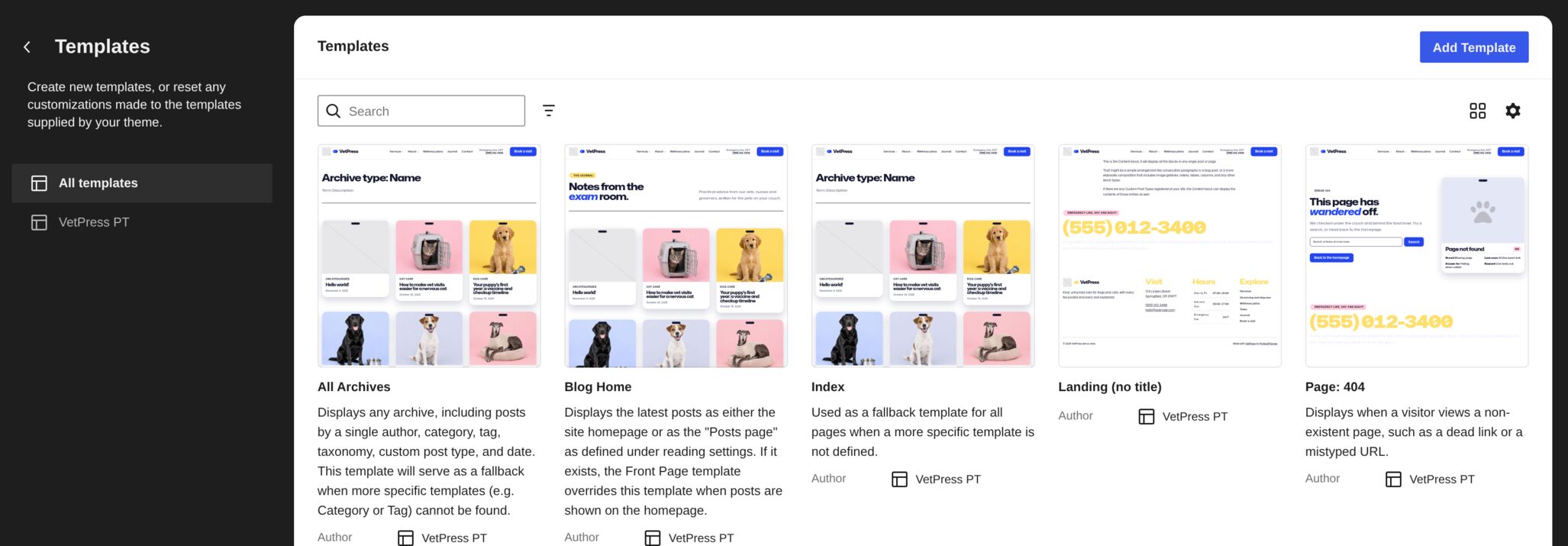
The Templates screen in the Site Editor with previews of the VetPress templates for archives, the blog home, landing pages and the 404 page

WHOLE-PAGE PATTERNS

Start a New Page from a Complete Design

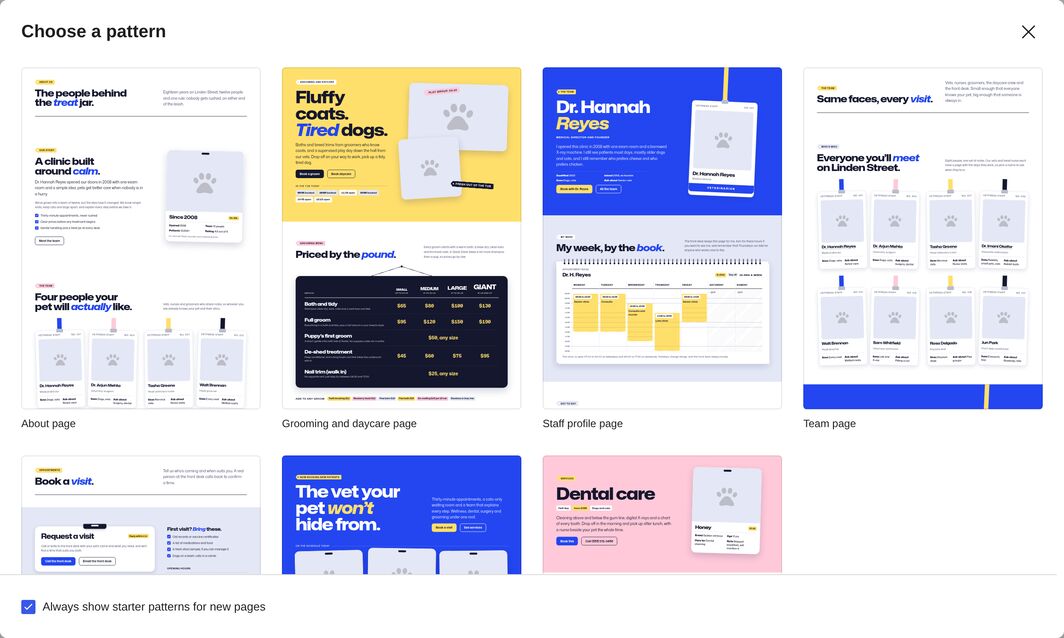
Your theme includes a whole-page pattern for each page of its demo. Add a new page, pick a design from the pattern chooser, then replace the text and photos with your own.

The Choose a pattern window for a new page, offering VetPress page patterns such as the About, Grooming and daycare, Staff profile and Team pages

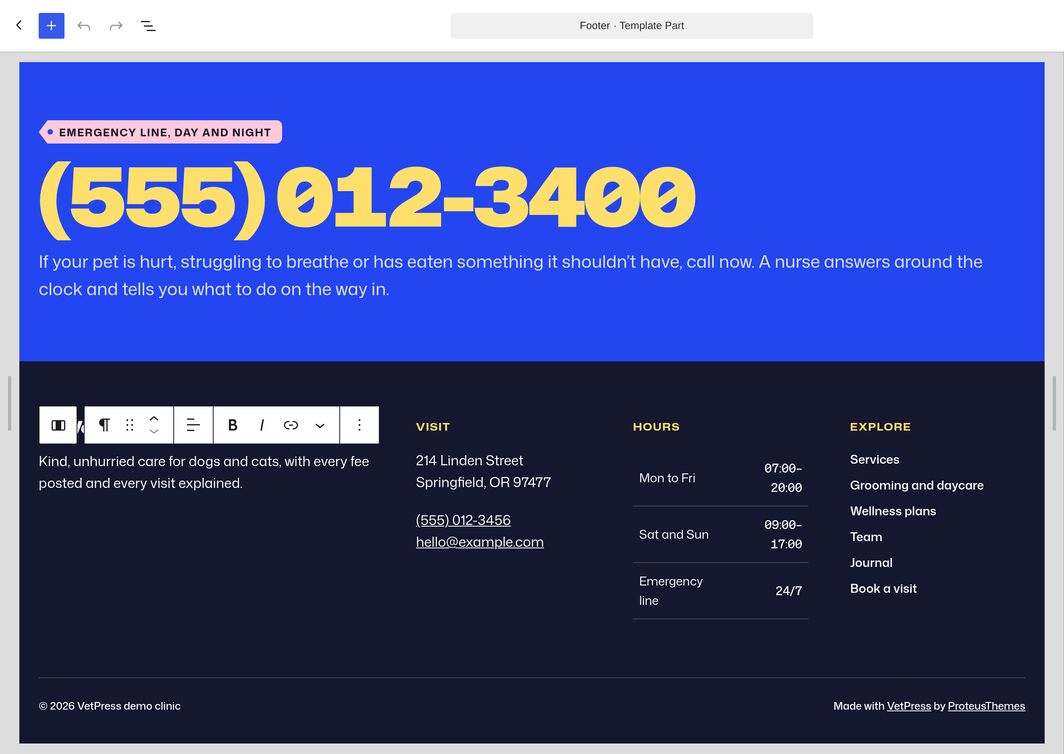
The VetPress footer template part open in the Site Editor, with the emergency line, address, opening hours and links, and a paragraph selected for editing

HEADER, FOOTER & TEMPLATES

Edit the Header, Footer and Templates

The header and footer are template parts shared by every page, and templates set the layout of your posts, archives, search results and other kinds of page. Edit them in the Site Editor just like a page, and your change shows everywhere they’re used.


NAVIGATION

Manage Menus in the Navigation Block

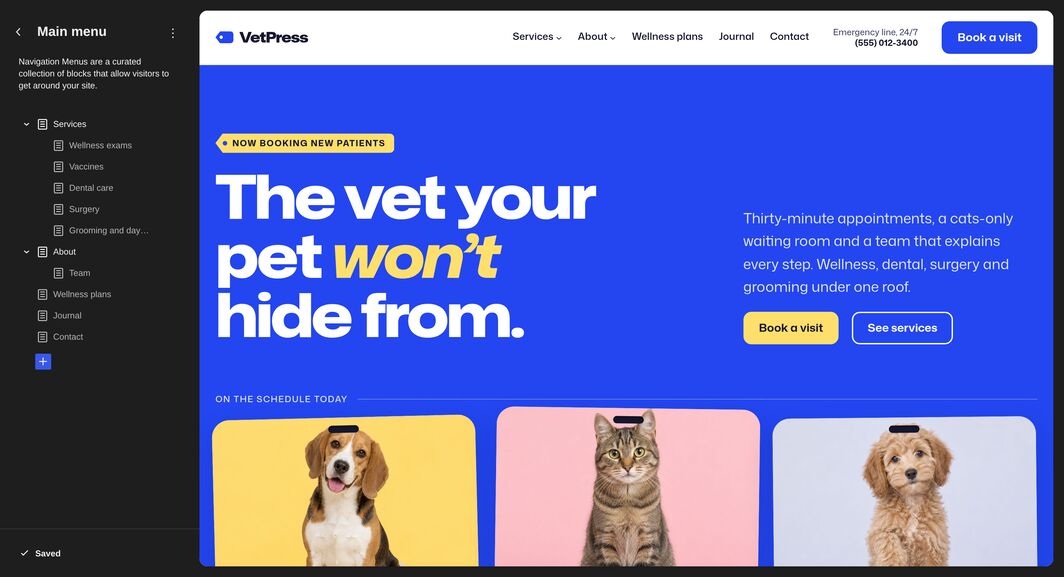
Your menu lives in the header’s Navigation block. Add, remove and drag its links right in the header, or manage them in Appearance → Editor → Navigation. On phones, the menu folds into a menu button.

The Navigation screen in the Site Editor listing the VetPress main menu with its Services and About submenus, beside a preview of the header


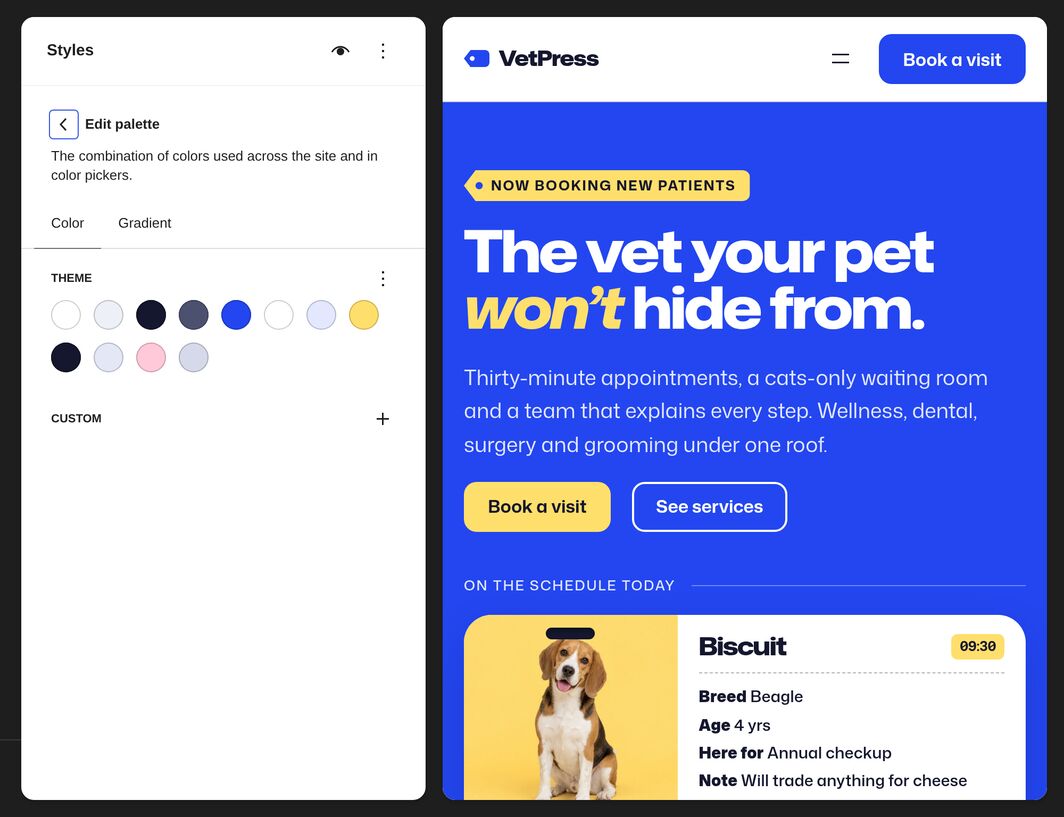
Styles in the Site Editor showing the VetPress color palette beside a preview of the homepage

STYLES

Change Colors, Fonts and Spacing Site-Wide

Colors, fonts, font sizes and spacing are set once in Styles and used by every pattern, so one change restyles your whole site. Pick a new color palette, change the fonts, or change how one kind of block looks everywhere.


“Excellent customizability and so easy to edit & understand.”

Excellent customizability and so easy to edit & understand. Can honestly recommend ProteusThemes crew and their products!

Denis Stupar Denis Stupar
LIVE PREVIEW

See Every Change as You Make It

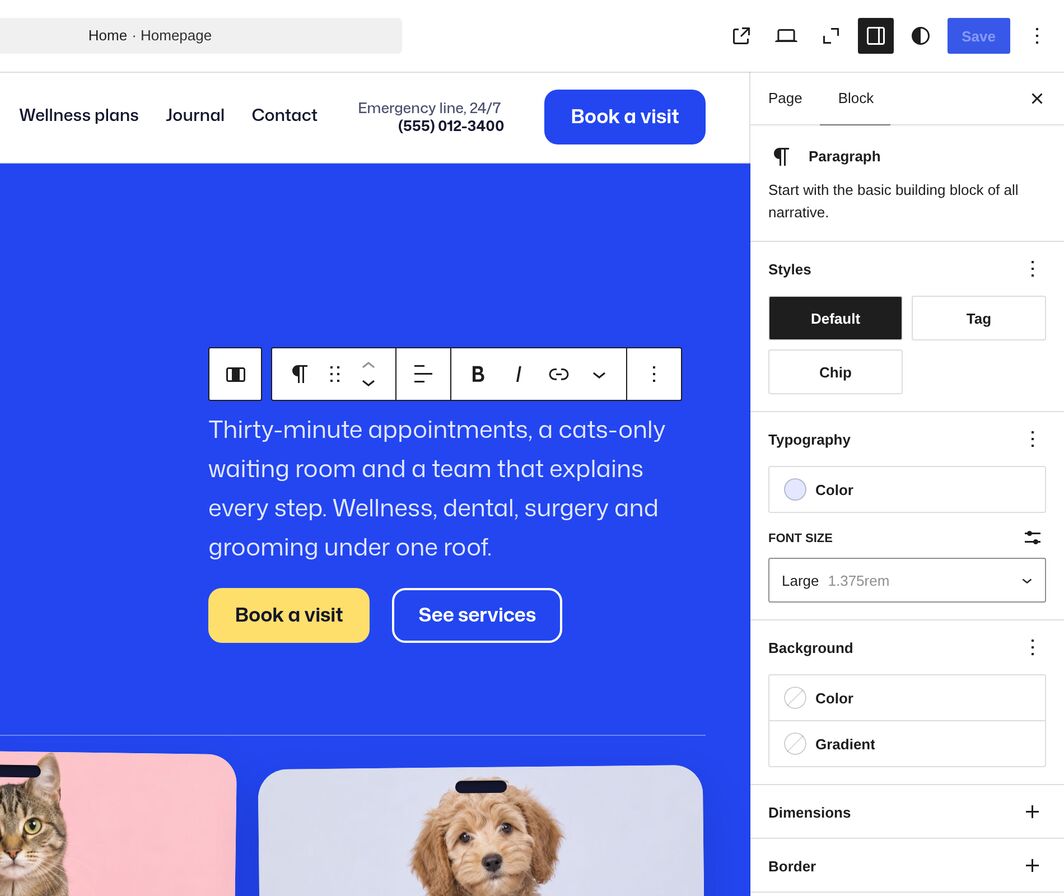
The editor shows your pages with your theme’s fonts, colors and layout, so what you see while you edit is what your visitors get. Switch the preview to tablet or mobile to check smaller screens, and undo any change you don’t like.

A paragraph on the VetPress homepage being edited in place, with the block toolbar above it and its style, typography and background settings beside it

Try Any WordPress Theme for FREE

Get started with any of our WordPress themes free for 7 days.

Get Started FREE Arrow

STYLE VARIATIONS

Change the Whole Look in One Click

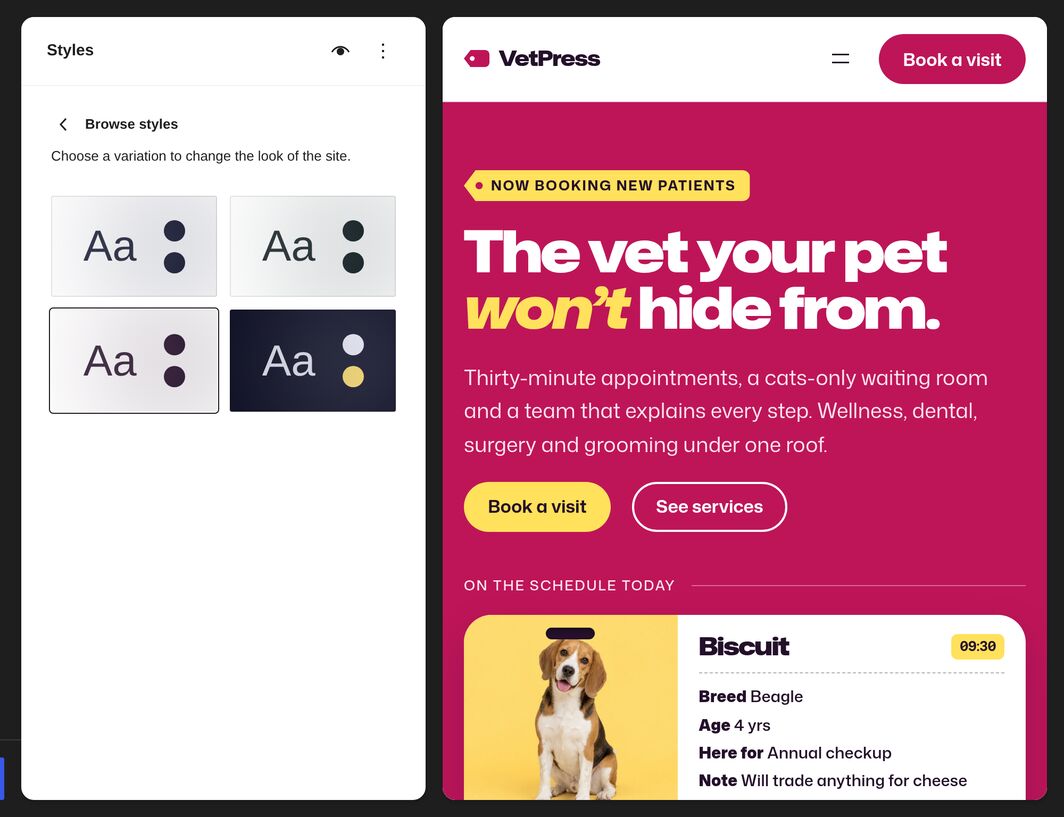
Every block theme comes with several style variations. Open Styles → Browse styles in the Site Editor, click one and save, and the new colors apply across your whole site, including the patterns you’ve already placed.

Browse styles in the Site Editor with the four VetPress style variations, and the homepage previewed in the hot-pink Groom Room variation

BLOCK PATTERNS

Every Section Is an Editable Pattern

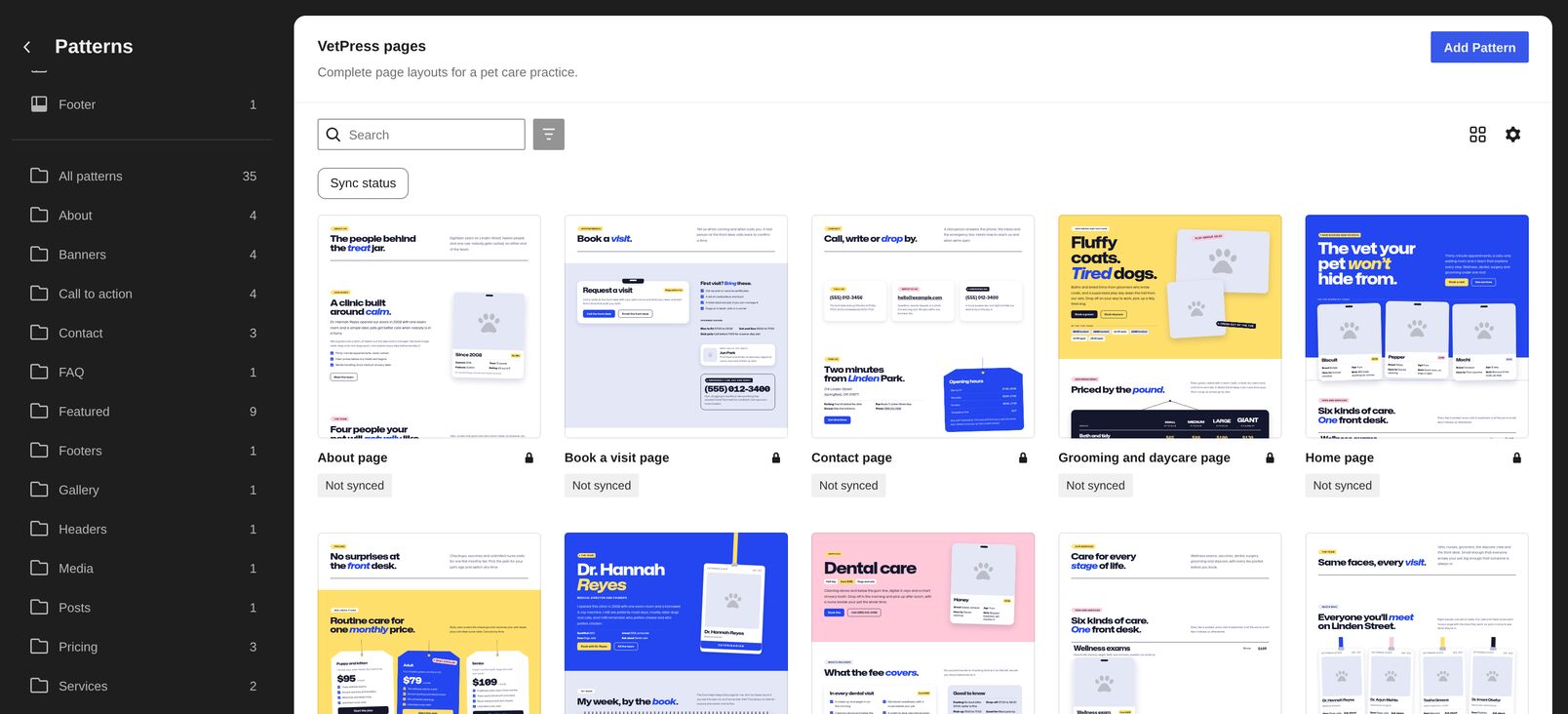
Your theme comes with a pattern for each section of its demo and a whole-page pattern for each of its pages. Insert them, then edit, move, restyle or delete them like any other blocks.

The Patterns screen in the Site Editor showing the VetPress pages category, with previews of the About, Book a visit, Contact, Grooming and daycare and Home page patterns

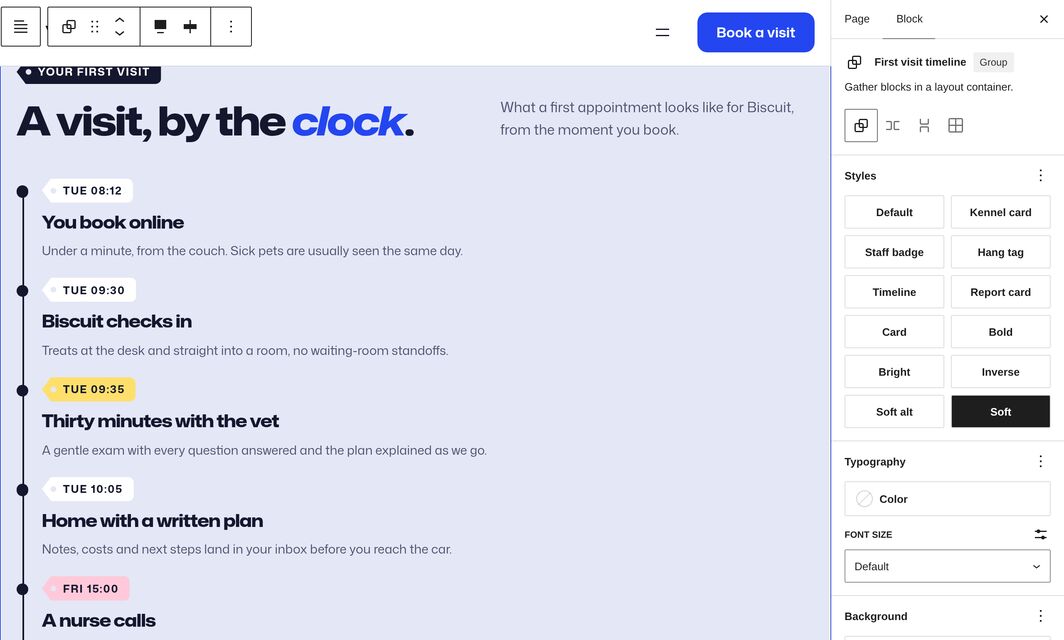
A VetPress section selected in the editor, with its block styles and section styles listed under Styles and the Soft section style applied

SECTION STYLES & BLOCK STYLES

Restyle a Section in One Click

Section styles color a whole group or column, with matching text, links and buttons in the colors of your style variation. Block styles give blocks such as headings, lists and groups your theme’s own look. Pick either one under Styles in the block settings.


ONE-CLICK DEMO IMPORT

Start from the Demo with One Click

One Click Demo Import adds the demo’s pages, posts and menus to your site, so it starts out looking like your theme’s demo. Then replace the text and photos with your own.


“So many hours saved. Thanks!”

Usually, it takes some time to properly setup and configure any theme especially if the theme has lots of options. One-click demo import is a great solution to improve a theme’s configuration process, reducing greatly the time necessary to put a WordPress site in good shape. So many hours saved. Thanks!

Marcio Duarte Marcio Duarte
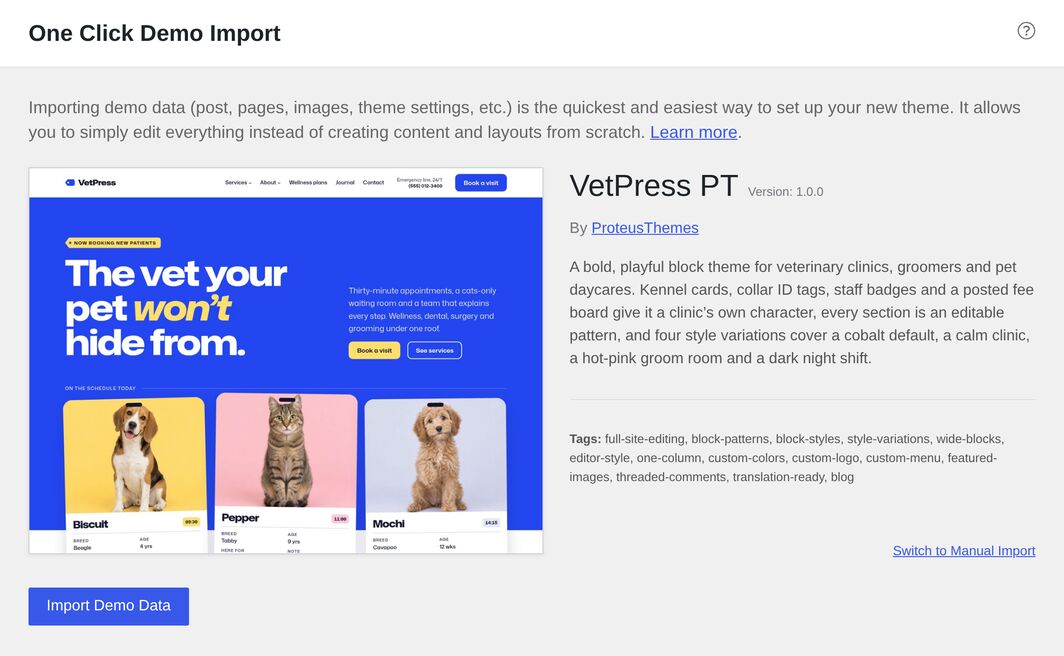
The One Click Demo Import screen for VetPress, with a preview of the demo and the Import Demo Data button


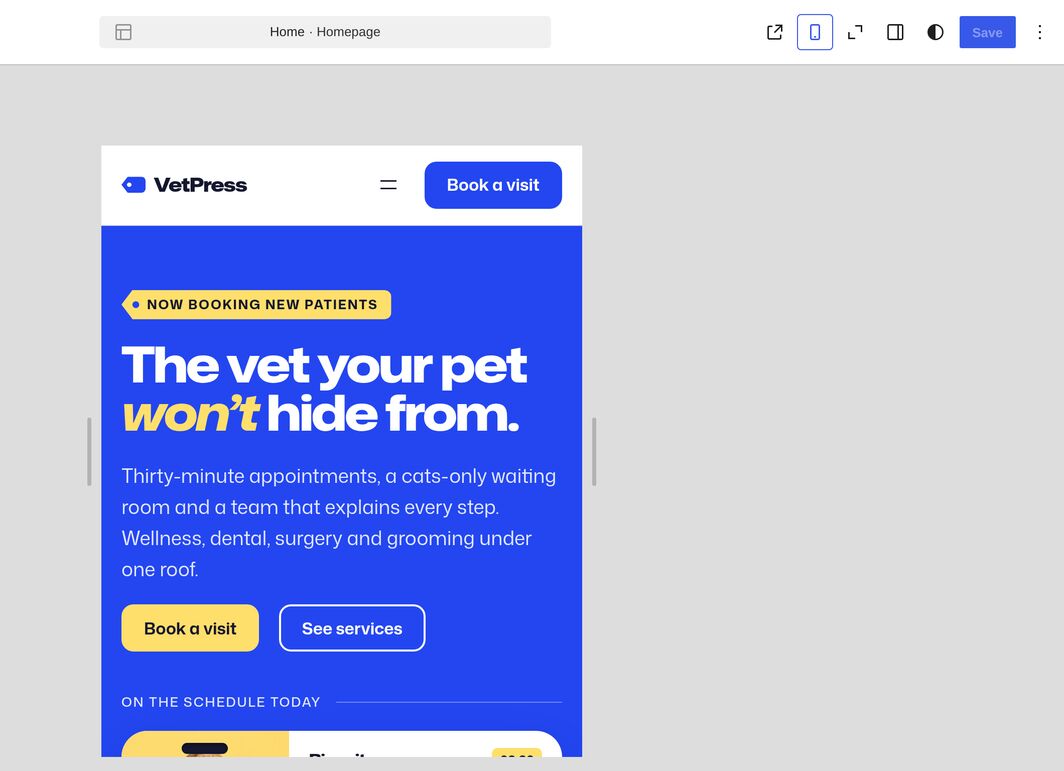
The VetPress homepage in the editor’s mobile preview

RESPONSIVE DESIGN

Looks Right on Every Screen Size

Every block theme adjusts its layout to phones, tablets and desktops. Check each size in the editor’s preview before you save your changes.


TRANSLATION-READY

Translated into 13 Languages

Your theme’s own text, such as the pattern copy and block style names, comes translated into Czech, Danish, Dutch, French, German, Italian, Polish, Portuguese, Russian, Slovenian, Spanish, Swedish and Turkish. WordPress uses the translation that matches your site language, and you can add any other language with a translation plugin.

English, Swedish, Spanish, German, Turkish, Portuguese, Russian, Czech, Polish, French, Danish, Slovenian, Dutch, and Italian


UPDATES & SUPPORT

Kept Up to Date, with Help When You Need It

Easy to update

Automatic Updates

Register your theme with your license key or purchase code, and new versions show up in Dashboard → Updates. Your content and Site Editor changes are kept when you update.

Support ticket

Site Report for Faster Help

The ProteusThemes Support plugin comes with your theme and creates a site report you can send us, so we can troubleshoot without asking for a login.

Work smarter

ClevrBot AI Chat Assistant

Your theme recommends ClevrBot, an AI chat assistant that answers your visitors’ questions from your site’s content.

Customer oriented

Help from ProteusThemes

Write to the team that made your theme whenever you need help with it.

Try Any WordPress Theme for FREE

Get started with any of our WordPress themes free for 7 days.

Get Started Arrow

Support By Expert WordPress and WooCommerce Developers & Designers

Support You Can Count On

Every day we are monitoring and answering your questions. If you need help beyond what our AI-powered chat in the lower right corner of your browser window can provide, email us at [email protected] or open a ticket from your account.


“Received excellent and lightning fast customer support!”

I purchased many WordPress themes from ProteusThemes and “Adrenaline” was one of the best purchases – its very clean and smooth working template. Nice to work with it. I made new web design for my travel/climbing club and this WordPress theme perfect fits to advertise this kind of business. After start working with WP theme got few questions and received excellent and lightning fast customer support!

Dainius Pilypas Dainius Pilypas

Best Theme Help and Support


WordPress Theme Support

Talk to Expert Developers

If you get stuck while building your website, we have extensive support documentation available or you can reach out to our developer team. In addition to decades of experience solving code problems, they’re super friendly. Found a bug? Let us know, and we’ll get right on it. Have a feature request? We like implementing great ideas!


“Support that has one goal: to help YOU!”

Excellent WordPress themes and support that has one goal: to help YOU!

Emmanuel Françoise Emmanuel Françoise

Receive Regular Updates

When WordPress, WooCommerce, PageBuilder, and other plugins test new beta features, we always prepare our WordPress themes in advance. This allows us to roll out an update quickly so your WordPress theme is always compatible and works perfectly.


“Very quick to setup and so easy to update.”

Really great result. Very quick to setup and so easy to update. Very happy customer

Josh Strawczynski Josh Strawczynski

WordPress Theme Lifetime Updates


Theme Support Articles

Access the How-to Articles

We have how-to articles for all of our WordPress themes, covering a wide range of questions and issues that have come up over the years. This saves you from having to search the Web for answers. You can also ask our chatbot — simply click on the red “chat with us” button in the lower-right corner of this browser window.


Follow a Step-by-Step Guide

Are you setting up a WordPress website for the first time? Fear not! All Proteus WordPress and WooCommerce themes have their own specific, in-depth theme documentation that will guide you through in a well-explained and interactive way — supplemented with videos and annotated screenshots.


“All I had to do was ask Proteus for help.”

I have sent requests to the support team for some pretty outlandish stuff, and they were always helpful. I had server issues causing the theme to not work properly, and all I had to do was ask Proteus for help. Awesome!!

Cody Ripley Cody Ripley

Theme Installation Guide

Try Any WordPress Theme for FREE

Get started with any of our WordPress themes free for 7 days.

Get Started for FREE Arrow