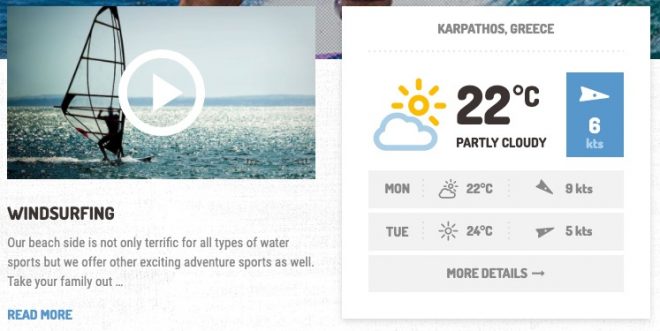
The Weather widget in our Adrenaline and Shaka themes shows the weather forecast for a location. It gets the weather data from OpenWeatherMap, so it needs a free OpenWeatherMap API key. You don’t need a One Call subscription.
Set up the Weather widget
- Follow OpenWeatherMap’s guide to create a free account and copy your API key.
- Add the ProteusThemes: Weather widget to a page in Page Builder or to a widget area, and paste the key into its API key field.
- Enter the location name, then its latitude and longitude.
- Choose whether to show the current weather, how many days to forecast, and which units to use. Then save.
If the widget can’t get the forecast after you add the key, update the theme to version 3.0.1 or later. Older versions use an OpenWeatherMap API that has been discontinued.
The widget stores the weather data for a while before it asks for new data: 30 minutes in Adrenaline and one hour in Shaka. For more details, see the Weather Widget section in the Adrenaline or Shaka documentation.